Claude Code @Home
My AI development environment runs on my home Proxmox server. The goal is to have Claude Code always available and accessible from anywhere, including from my iPhone.
The idea
I’ve been using Claude Code on my MacBook for a while, but as the MacBook isn’t always on, I wanted a setup where my AI dev environment is:
- always available
- accessible remotely
- isolated, so my tests don’t affect the rest of my infrastructure
My Proxmox server is already running 24/7 as it also hosts other VMs.
The setup
This is the stack I’m using:
- Proxmox VE, my Beelink SER5 hypervisor
- Ubuntu Server 24.04 LTS, the 2 CPUs / 4G RAM VM hosting Claude Code
- Claude Code CLI
- Tailscale, which allows remote access to the VM without exposing it to the internet
- tmux, to keep sessions alive when I disconnect
- Termius, the iPhone app to ssh to the VM
Installing Claude Code
I used the default installation method on Linux.
curl -fsSL https://claude.ai/install.sh | bashTo authenticate, I just run claude on the VM. The CLI detects that no browser is available and prints a URL in the terminal. I then open that URL on any other device and complete the login. One-time setup.
Remote access with Tailscale
Tailscale is the piece that makes everything accessible from anywhere. It creates a private network between all my devices (iPhone, Proxmox VM, …) without opening any ports on my router.
I’ve installed it on the VM using the following command.
curl -fsSL https://tailscale.com/install.sh | shIn order for the SSH session to go through Tailscale instead of the OpenSSH server running in the VM, Tailscale must be started with the --ssh option:
sudo tailscale up --sshThis allows defining ACLs to limit which devices can connect to the VM.
After that, the VM gets a stable Tailscale IP (e.g. 100.x.x.x) and a MagicDNS hostname (e.g. ai.tail1234.ts.net). I can SSH into it from anywhere as if it were on my local network.
To reach the VM from a phone, install the Tailscale app on iOS or Android and sign in with the same account. Once both devices are on the same tailnet, they can reach each other directly, no port forwarding, no jump host.
Keeping sessions alive with tmux
Running Claude Code inside a tmux session keeps the process running on the server even if the phone is disconnected. I just need to start a named session as follows.
# Start a named session
tmux new -s claude
and attach to this session the next time I ssh to the VM.
tmux attach -t claudeThis is very useful for longer-running tasks.
Accessing from iPhone
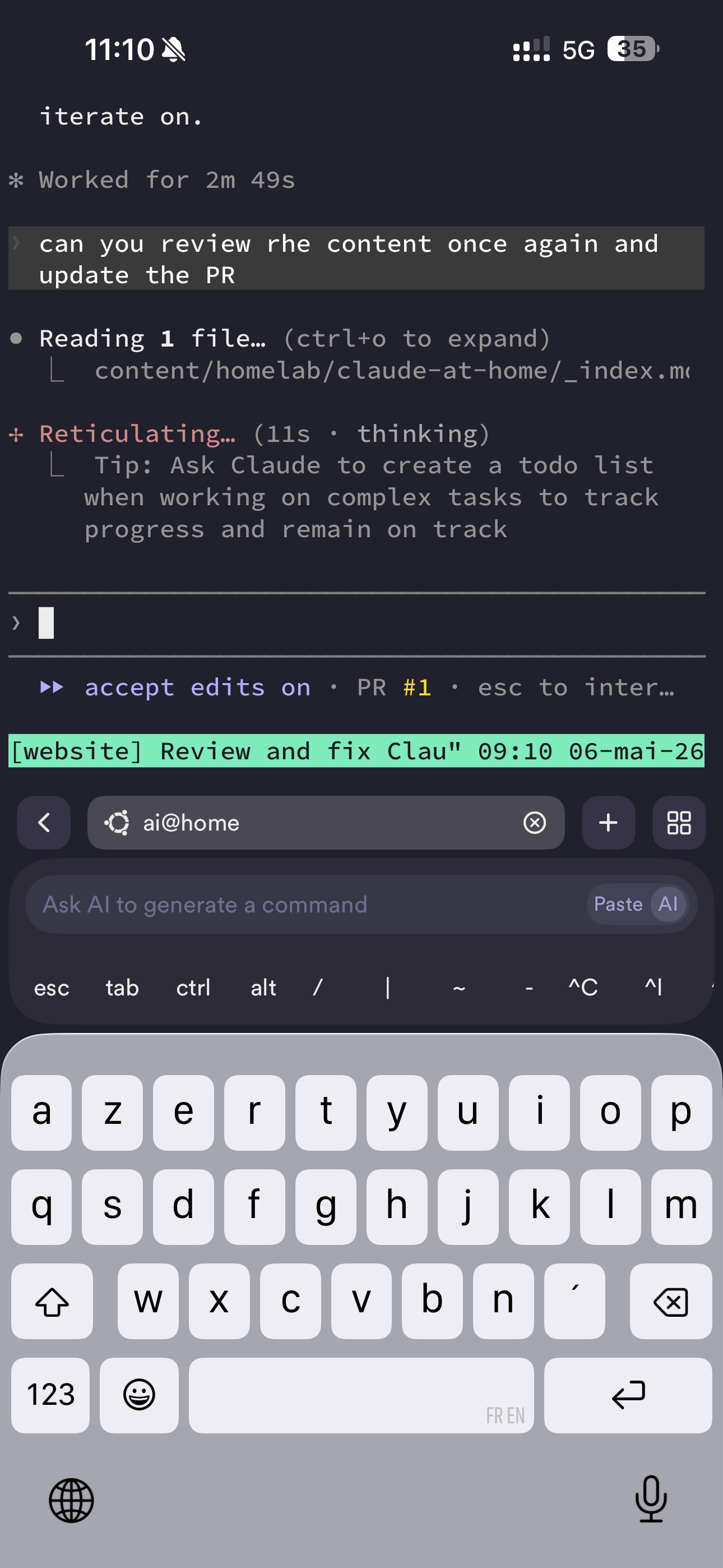
From my iPhone, I use Termius as my SSH client. With Tailscale running on both my phone and the VM, the connection is direct and encrypted.
The workflow:
- Open Termius
- Connect to the VM via its Tailscale hostname
tmux attach -t claudeto resume where I left off
It’s not as smooth as a native mobile app, but it’s fully functional for asking the agent to do something when I’m on the go.
Working on one of my GitHub repos
On the VM, I have created a projects folder, then cloned a GitHub project in it. I’m able to ask Claude to review the content I’m currently writing (this Hugo page!) and create a PR that I can review later on.
How this setup helps
Having a persistent, remote Claude Code environment changes how I work. I can kick off a long agentic task from my desk, close my laptop, and check in from my phone an hour later. The VM is always on, always connected, always ready.
This section might expand to cover the rest of the setup.